With more people than ever working from home or balancing time between the office and home, the need for ergonomically sound environments is critical. Poor posture, improper seating, and poorly designed workspaces can lead to chronic pain, discomfort, and even long-term musculoskeletal issues. Minorik Chiropractic Center is committed to helping individuals create healthier work and home environments that promote good posture and minimize the risk of injury.
In this blog, we will explore essential ergonomic tips for creating a healthier workspace at home and in the office. By implementing these simple changes, you can enhance your productivity, reduce discomfort, and maintain better overall health.
1. Proper Desk and Chair Setup
One of the most critical factors in an ergonomic environment is the setup of your desk and chair. Follow these guidelines for optimal posture:
- Desk Height: Your desk should be at a height that allows your arms to bend at a 90-degree angle when typing. Elbows should remain close to your sides, and wrists should be in a neutral position.
- Chair Support: Choose a chair that offers good lumbar (lower back) support. Your feet should be flat on the floor, and your knees should be at a 90-degree angle. Adjust the chair height to ensure your thighs are parallel to the ground.
- Monitor Position: The top of your computer screen should be at or just below eye level. The monitor should be about 20–30 inches away from your eyes to reduce strain. Use a monitor stand or stack books to adjust the height as needed.
2. Keyboard and Mouse Placement
Your keyboard and mouse should be easy to reach without straining. Here are a few tips:
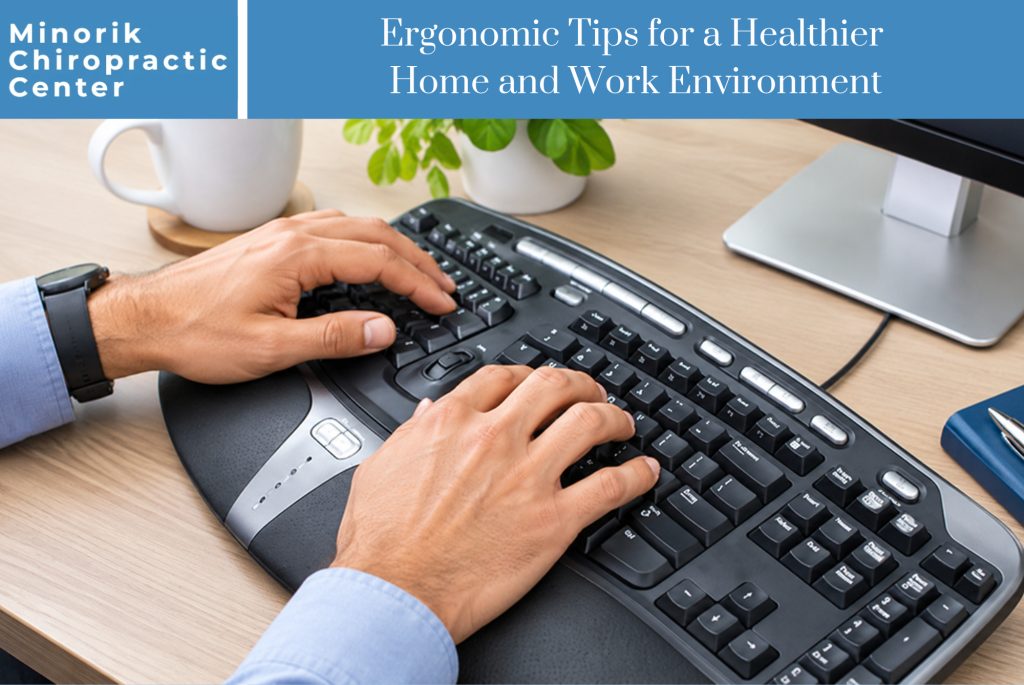
- Keyboard: Position the keyboard so that your hands hover naturally over the keys with your elbows at a 90-degree angle. If possible, use an ergonomic keyboard that allows for a natural wrist position.
- Mouse: Place the mouse close to your keyboard to avoid overreaching. Ensure the mouse is at the same level as the keyboard, and consider using an ergonomic mouse to reduce wrist strain.
3. Posture Awareness
Maintaining good posture is crucial for preventing back and neck pain. While sitting, keep the following in mind:
- Sit Upright: Your back should be straight, and your shoulders should be relaxed but not slouched.
- Head Position: Keep your head in a neutral position, avoiding tilting it forward. This reduces strain on your neck and shoulders.
- Frequent Breaks: Take short breaks every 30 minutes to stretch and move around. Long periods of sitting can lead to stiffness and discomfort.
4. Standing Desks and Movement
If possible, incorporate a standing desk into your work setup. Standing desks allow you to alternate between sitting and standing throughout the day, promoting movement and reducing the risks associated with prolonged sitting.
- Adjustable Desks: Use a desk that allows you to adjust between sitting and standing positions. This flexibility encourages better circulation and reduces pressure on your lower back.
- Balance and Core Strength: Consider using a balance board or standing mat to engage your core muscles while standing. This can help improve posture and reduce fatigue.
5. Lighting and Screen Brightness
Proper lighting is often overlooked in ergonomic setups, but it plays a vital role in preventing eye strain and headaches.
- Natural Light: Whenever possible, work in an area with natural light. Position your desk perpendicular to windows to avoid glare on your screen.
- Artificial Lighting: Use task lighting that illuminates your workspace without causing screen glare. Adjust the brightness of your computer screen to match the lighting conditions in the room.
- Blue Light Filters: If you spend a lot of time on screens, consider using blue light filters or glasses to reduce eye strain.
6. Home Ergonomics: Beyond the Office
Ergonomics isn’t just for your office or workspace. Applying ergonomic principles to your home environment can also improve your health:
- Couch and TV Setup: Ensure that your TV is positioned at eye level when sitting on the couch. Avoid slouching or lying down in awkward positions while watching TV.
- Kitchen Ergonomics: When preparing meals, make sure your work surfaces are at a comfortable height to avoid bending or straining your back.
- Bed and Sleep Position: Invest in a good mattress that supports your spine, and use pillows to maintain proper alignment while sleeping. Avoid sleeping on your stomach, as it can strain your neck and back.
Comprehensive Q&A Section
Q: What is the best sitting position for long periods of desk work?
A: The best sitting position is one that maintains the natural curves of your spine. Your feet should be flat on the floor, and your knees should be at a 90-degree angle. Make sure your chair provides good lumbar support, and avoid slouching or leaning forward.
Q: How often should I take breaks during the workday?
A: It’s recommended to take short breaks every 30 minutes. Stand up, stretch, or walk around to promote circulation and reduce stiffness. For those using standing desks, alternate between sitting and standing throughout the day.
Q: Are ergonomic chairs worth the investment?
A: Yes, ergonomic chairs provide crucial support for your spine and help reduce back pain and discomfort during long periods of sitting. Look for chairs that offer adjustable lumbar support, armrests, and seat height.
Q: What can I do if my workspace at home is small?
A: Even in a small workspace, you can prioritize ergonomics. Invest in a compact adjustable desk, and ensure your chair provides proper back support. Focus on maintaining good posture and taking regular breaks to avoid strain.
Q: How can I reduce eye strain when working on a computer all day?
A: Follow the 20-20-20 rule: every 20 minutes, look at something 20 feet away for 20 seconds. Adjust your screen brightness to match the lighting in your room, and use blue light glasses if needed.
Contact Information
For more tips on creating an ergonomic workspace or to address any discomfort you’re experiencing, Minorik Chiropractic Center is here to help. We specialize in providing personalized care that focuses on improving your overall well-being.
Contact us today to schedule an appointment:
Minorik Chiropractic Center
2620 W. Market St
Akron, OH 44313
Phone: (330) 869-6566
Website: minorikchiropractic.com
Request An Appointment: minorikchiropractic.com/new-patients/appointments/
Whether you’re working from home or the office, we can guide you on how to adjust your environment to support your body, reduce pain, and improve your posture for long-term health.